# Coach
## Overview
Coach is a python reinforcement learning research framework containing implementation of many state-of-the-art algorithms.
It exposes a set of easy-to-use APIs for experimenting with new RL algorithms, and allows simple integration of new environments to solve.
Basic RL components (algorithms, environments, neural network architectures, exploration policies, ...) are well decoupled, so that extending and reusing existing components is fairly painless.
Training an agent to solve an environment is as easy as running:
```bash
python3 coach.py -p CartPole_DQN -r
```
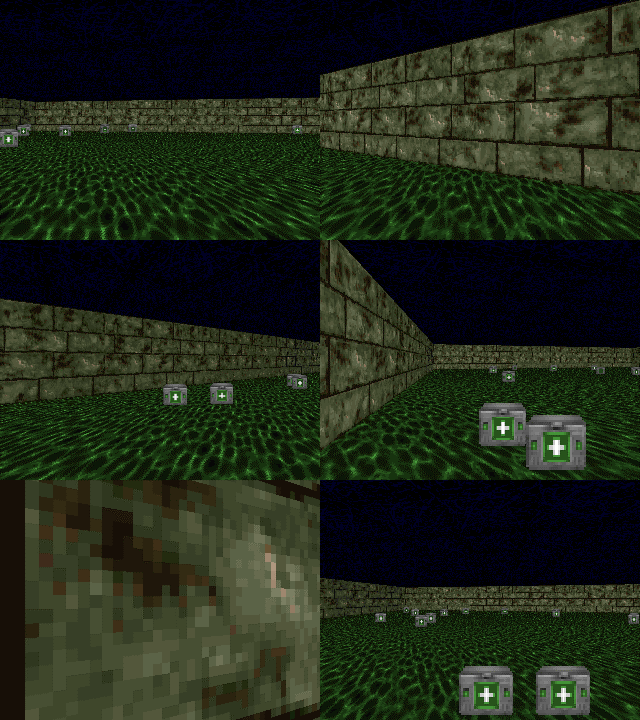
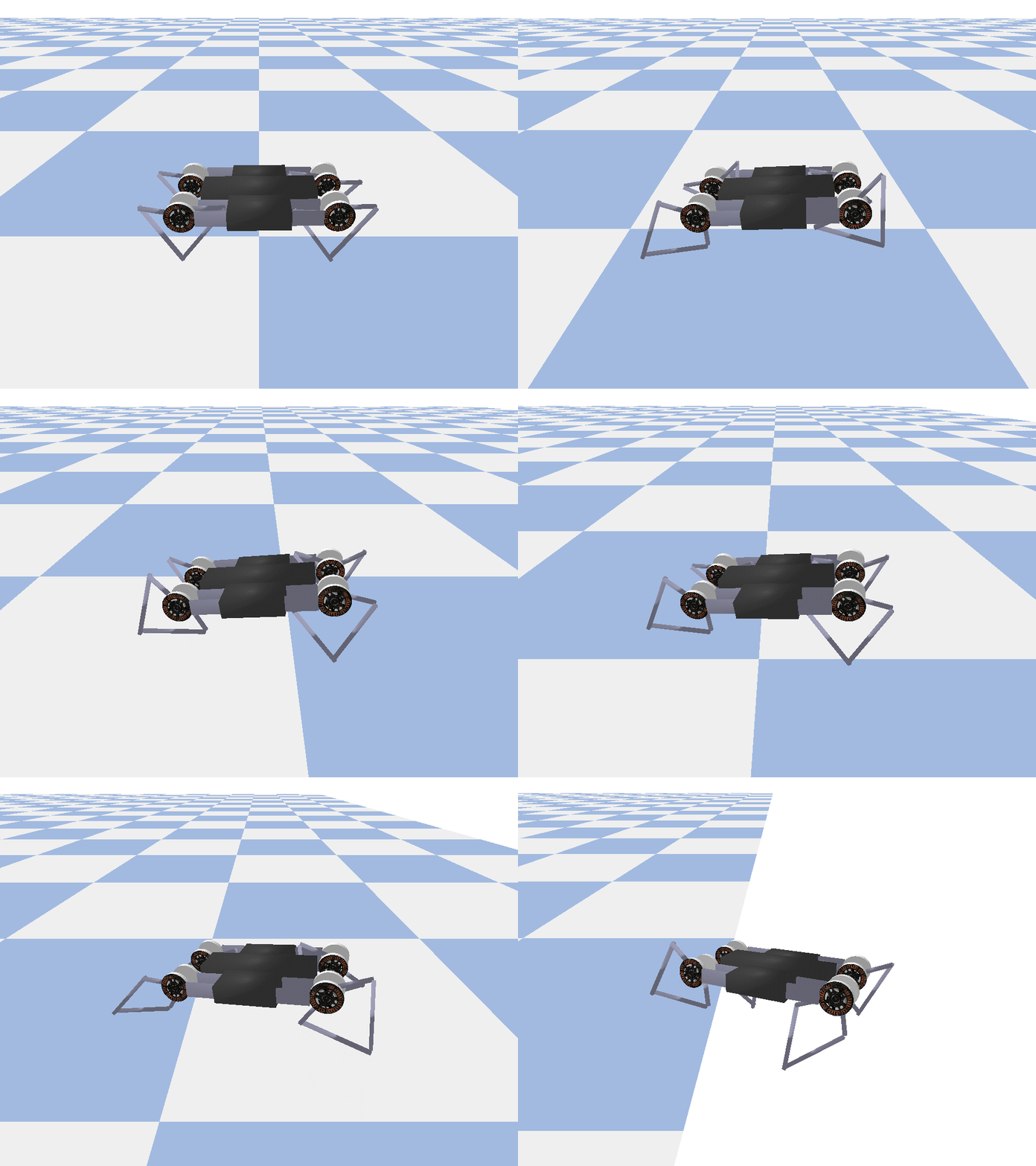
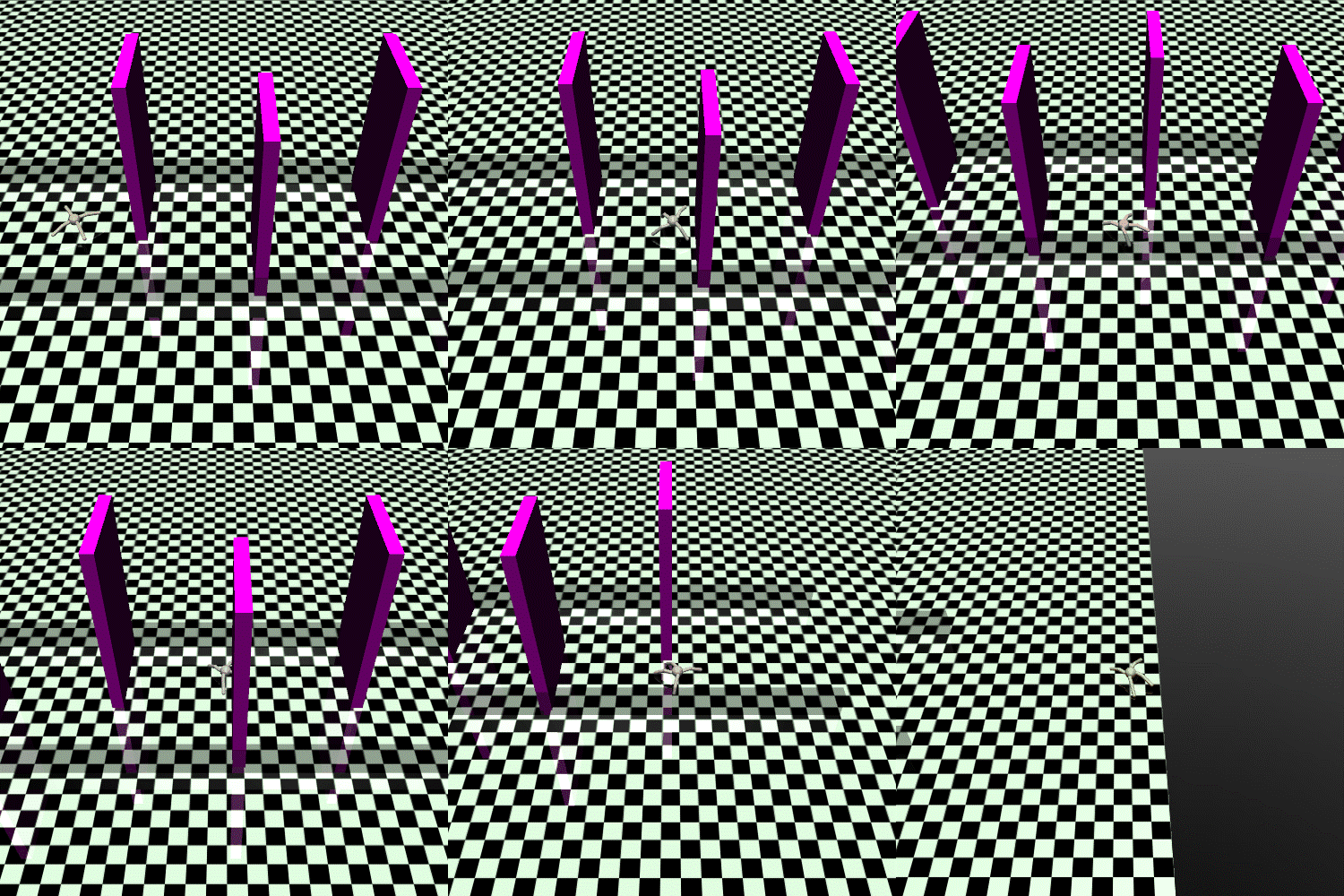 Blog post from the Intel® Nervana™ website can be found [here](https://www.intelnervana.com/reinforcement-learning-coach-intel).
## Installation
Note: Coach has only been tested on Ubuntu 16.04 LTS, and with Python 3.5.
Coach's installer will setup all the basics needed to get the user going with running Coach on top of [OpenAI Gym](https://github.com/openai/gym) environments. This can be done by running the following command and then following the on-screen printed instructions:
```bash
./install.sh
```
Coach creates a virtual environment and installs in it to avoid changes to the user's system.
In order to activate and deactivate Coach's virtual environment:
```bash
source coach_env/bin/activate
```
```bash
deactivate
```
In addition to OpenAI Gym, several other environments were tested and are supported. Please follow the instructions in the Supported Environments section below in order to install more environments.
### GPU Support
#### TensorFlow
Coach's installer installs [Intel-Optimized TensorFlow](https://software.intel.com/en-us/articles/intel-optimized-tensorflow-wheel-now-available), which does not support GPU, by default. In order to have Coach running with GPU, a GPU supported TensorFlow version must be installed. This can be done by overriding the TensorFlow version:
```bash
pip3 install tensorflow-gpu
```
## Running Coach
Coach supports both TensorFlow and neon deep learning frameworks.
Switching between TensorFlow and neon backends is possible by using the `-f` flag.
Using TensorFlow (default): `-f tensorflow`
Using neon: `-f neon`
There are several available presets in presets.py.
To list all the available presets use the `-l` flag.
To run a preset, use:
```bash
python3 coach.py -r -p
```
For example:
1. CartPole environment using Policy Gradients:
```bash
python3 coach.py -r -p CartPole_PG
```
2. Pendulum using Clipped PPO:
```bash
python3 coach.py -r -p Pendulum_ClippedPPO -n 8
```
3. MountainCar using A3C:
```bash
python3 coach.py -r -p MountainCar_A3C -n 8
```
4. Doom basic level using Dueling network and Double DQN algorithm:
```bash
python3 coach.py -r -p Doom_Basic_Dueling_DDQN
```
5. Doom health gathering level using Mixed Monte Carlo:
```bash
python3 coach.py -r -p Doom_Health_MMC
```
It is easy to create new presets for different levels or environments by following the same pattern as in presets.py
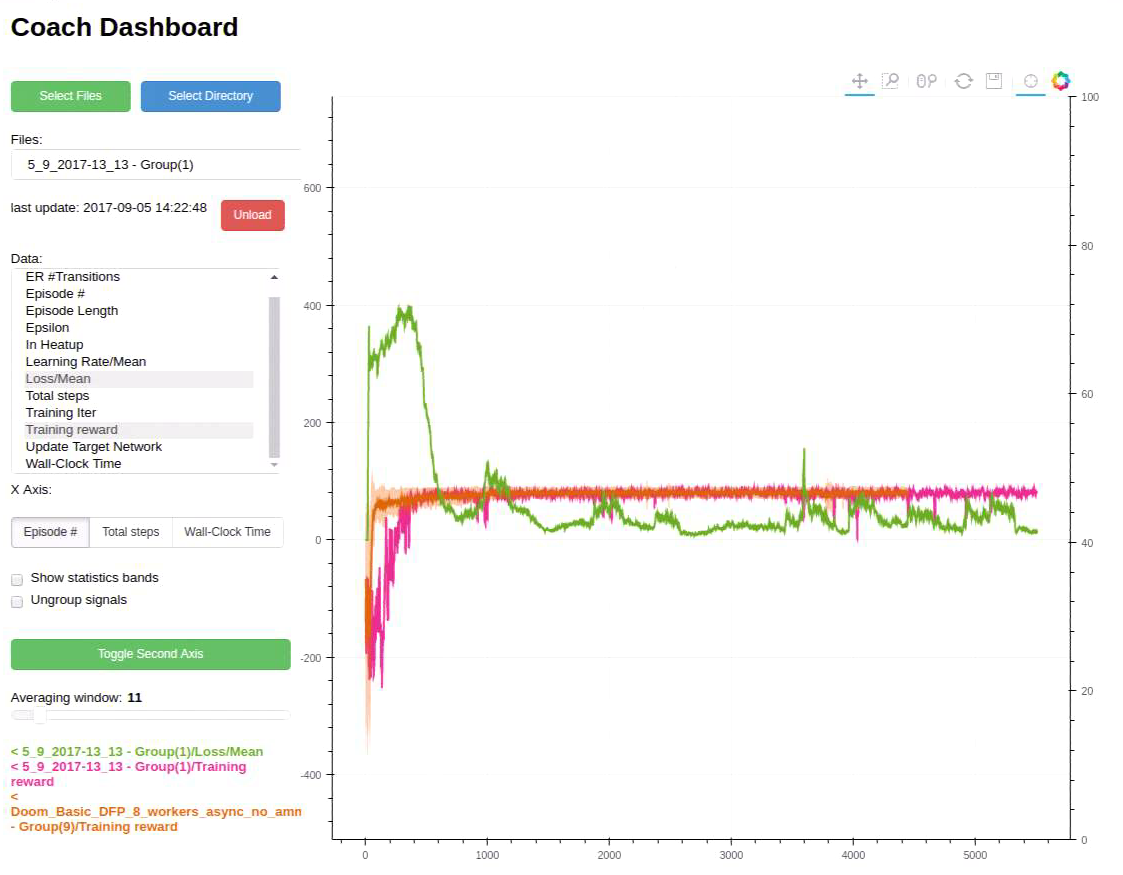
## Running Coach Dashboard (Visualization)
Training an agent to solve an environment can be tricky, at times.
In order to debug the training process, Coach outputs several signals, per trained algorithm, in order to track algorithmic performance.
While Coach trains an agent, a csv file containing the relevant training signals will be saved to the 'experiments' directory. Coach's dashboard can then be used to dynamically visualize the training signals, and track algorithmic behavior.
To use it, run:
```bash
python3 dashboard.py
```
Blog post from the Intel® Nervana™ website can be found [here](https://www.intelnervana.com/reinforcement-learning-coach-intel).
## Installation
Note: Coach has only been tested on Ubuntu 16.04 LTS, and with Python 3.5.
Coach's installer will setup all the basics needed to get the user going with running Coach on top of [OpenAI Gym](https://github.com/openai/gym) environments. This can be done by running the following command and then following the on-screen printed instructions:
```bash
./install.sh
```
Coach creates a virtual environment and installs in it to avoid changes to the user's system.
In order to activate and deactivate Coach's virtual environment:
```bash
source coach_env/bin/activate
```
```bash
deactivate
```
In addition to OpenAI Gym, several other environments were tested and are supported. Please follow the instructions in the Supported Environments section below in order to install more environments.
### GPU Support
#### TensorFlow
Coach's installer installs [Intel-Optimized TensorFlow](https://software.intel.com/en-us/articles/intel-optimized-tensorflow-wheel-now-available), which does not support GPU, by default. In order to have Coach running with GPU, a GPU supported TensorFlow version must be installed. This can be done by overriding the TensorFlow version:
```bash
pip3 install tensorflow-gpu
```
## Running Coach
Coach supports both TensorFlow and neon deep learning frameworks.
Switching between TensorFlow and neon backends is possible by using the `-f` flag.
Using TensorFlow (default): `-f tensorflow`
Using neon: `-f neon`
There are several available presets in presets.py.
To list all the available presets use the `-l` flag.
To run a preset, use:
```bash
python3 coach.py -r -p
```
For example:
1. CartPole environment using Policy Gradients:
```bash
python3 coach.py -r -p CartPole_PG
```
2. Pendulum using Clipped PPO:
```bash
python3 coach.py -r -p Pendulum_ClippedPPO -n 8
```
3. MountainCar using A3C:
```bash
python3 coach.py -r -p MountainCar_A3C -n 8
```
4. Doom basic level using Dueling network and Double DQN algorithm:
```bash
python3 coach.py -r -p Doom_Basic_Dueling_DDQN
```
5. Doom health gathering level using Mixed Monte Carlo:
```bash
python3 coach.py -r -p Doom_Health_MMC
```
It is easy to create new presets for different levels or environments by following the same pattern as in presets.py
## Running Coach Dashboard (Visualization)
Training an agent to solve an environment can be tricky, at times.
In order to debug the training process, Coach outputs several signals, per trained algorithm, in order to track algorithmic performance.
While Coach trains an agent, a csv file containing the relevant training signals will be saved to the 'experiments' directory. Coach's dashboard can then be used to dynamically visualize the training signals, and track algorithmic behavior.
To use it, run:
```bash
python3 dashboard.py
```
 ## Documentation
Framework documentation, algoritmic description and instructions on how to contribute a new agent/environment can be found [here](http://coach.nervanasys.com).
## Parallelizing an Algorithm
Since the introduction of [A3C](https://arxiv.org/abs/1602.01783) in 2016, many algorithms were shown to benefit from running multiple instances in parallel, on many CPU cores. So far, these algorithms include [A3C](https://arxiv.org/abs/1602.01783), [DDPG](https://arxiv.org/pdf/1704.03073.pdf), [PPO](https://arxiv.org/pdf/1707.06347.pdf), and [NAF](https://arxiv.org/pdf/1610.00633.pdf), and this is most probably only the begining.
Parallelizing an algorithm using Coach is straight-forward.
The following method of NetworkWrapper parallelizes an algorithm seamlessly:
```python
network.train_and_sync_networks(current_states, targets)
```
Once a parallelized run is started, the ```train_and_sync_networks``` API will apply gradients from each local worker's network to the main global network, allowing for parallel training to take place.
Then, it merely requires running Coach with the ``` -n``` flag and with the number of workers to run with. For instance, the following command will set 16 workers to work together to train a MuJoCo Hopper:
```bash
python3 coach.py -p Hopper_A3C -n 16
```
## Supported Environments
* OpenAI Gym
Installed by default by Coach's installer.
* ViZDoom:
Follow the instructions described in the ViZDoom repository -
https://github.com/mwydmuch/ViZDoom
Additionally, Coach assumes that the environment variable VIZDOOM_ROOT points to the ViZDoom installation directory.
* Roboschool:
Follow the instructions described in the roboschool repository -
https://github.com/openai/roboschool
* GymExtensions:
Follow the instructions described in the GymExtensions repository -
https://github.com/Breakend/gym-extensions
Additionally, add the installation directory to the PYTHONPATH environment variable.
* PyBullet
Follow the instructions described in the [Quick Start Guide](https://docs.google.com/document/d/10sXEhzFRSnvFcl3XxNGhnD4N2SedqwdAvK3dsihxVUA) (basically just - 'pip install pybullet')
## Supported Algorithms
## Documentation
Framework documentation, algoritmic description and instructions on how to contribute a new agent/environment can be found [here](http://coach.nervanasys.com).
## Parallelizing an Algorithm
Since the introduction of [A3C](https://arxiv.org/abs/1602.01783) in 2016, many algorithms were shown to benefit from running multiple instances in parallel, on many CPU cores. So far, these algorithms include [A3C](https://arxiv.org/abs/1602.01783), [DDPG](https://arxiv.org/pdf/1704.03073.pdf), [PPO](https://arxiv.org/pdf/1707.06347.pdf), and [NAF](https://arxiv.org/pdf/1610.00633.pdf), and this is most probably only the begining.
Parallelizing an algorithm using Coach is straight-forward.
The following method of NetworkWrapper parallelizes an algorithm seamlessly:
```python
network.train_and_sync_networks(current_states, targets)
```
Once a parallelized run is started, the ```train_and_sync_networks``` API will apply gradients from each local worker's network to the main global network, allowing for parallel training to take place.
Then, it merely requires running Coach with the ``` -n``` flag and with the number of workers to run with. For instance, the following command will set 16 workers to work together to train a MuJoCo Hopper:
```bash
python3 coach.py -p Hopper_A3C -n 16
```
## Supported Environments
* OpenAI Gym
Installed by default by Coach's installer.
* ViZDoom:
Follow the instructions described in the ViZDoom repository -
https://github.com/mwydmuch/ViZDoom
Additionally, Coach assumes that the environment variable VIZDOOM_ROOT points to the ViZDoom installation directory.
* Roboschool:
Follow the instructions described in the roboschool repository -
https://github.com/openai/roboschool
* GymExtensions:
Follow the instructions described in the GymExtensions repository -
https://github.com/Breakend/gym-extensions
Additionally, add the installation directory to the PYTHONPATH environment variable.
* PyBullet
Follow the instructions described in the [Quick Start Guide](https://docs.google.com/document/d/10sXEhzFRSnvFcl3XxNGhnD4N2SedqwdAvK3dsihxVUA) (basically just - 'pip install pybullet')
## Supported Algorithms
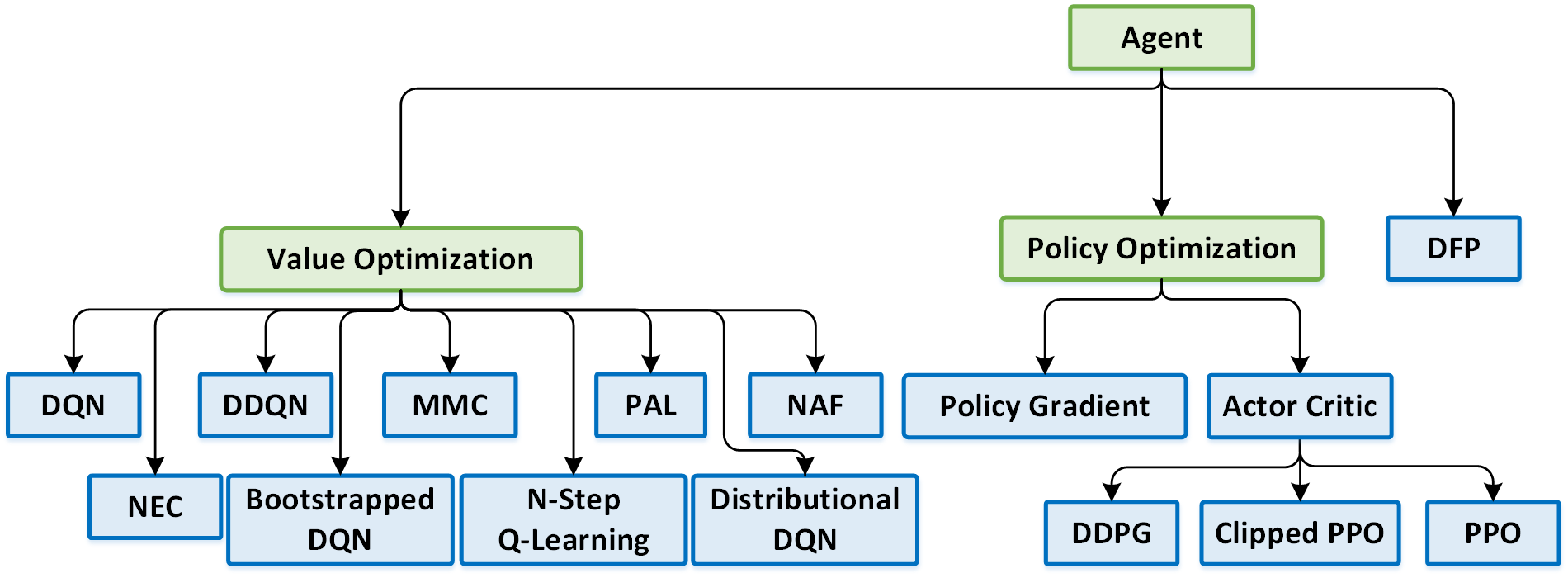 * [Deep Q Network (DQN](https://www.cs.toronto.edu/~vmnih/docs/dqn.pdf)
* [Double Deep Q Network (DDQN)](https://arxiv.org/pdf/1509.06461.pdf)
* [Dueling Q Network](https://arxiv.org/abs/1511.06581)
* [Mixed Monte Carlo (MMC)](https://arxiv.org/abs/1703.01310)
* [Persistent Advantage Learning (PAL)](https://arxiv.org/abs/1512.04860)
* [Distributional Deep Q Network ](https://arxiv.org/abs/1707.06887)
* [Bootstrapped Deep Q Network](https://arxiv.org/abs/1602.04621)
* [N-Step Q Learning](https://arxiv.org/abs/1602.01783) | **Distributed**
* [Neural Episodic Control (NEC) ](https://arxiv.org/abs/1703.01988)
* [Normalized Advantage Functions (NAF)](https://arxiv.org/abs/1603.00748.pdf) | **Distributed**
* [Policy Gradients (PG)](http://www-anw.cs.umass.edu/~barto/courses/cs687/williams92simple.pdf) | **Distributed**
* [Actor Critic / A3C](https://arxiv.org/abs/1602.01783) | **Distributed**
* [Deep Deterministic Policy Gradients (DDPG)](https://arxiv.org/abs/1509.02971) | **Distributed**
* [Proximal Policy Optimization (PPO)](https://arxiv.org/pdf/1707.06347.pdf)
* [Clipped Proximal Policy Optimization](https://arxiv.org/pdf/1707.06347.pdf) | **Distributed**
* [Direct Future Prediction (DFP)](https://arxiv.org/abs/1611.01779) | **Distributed**
## Disclaimer
Coach is released as a reference code for research purposes. It is not an official Intel product, and the level of quality and support may not be as expected from an official product.
Additional algorithms and environments are planned to be added to the framework. Feedback and contributions from the open source and RL research communities are more than welcome.
* [Deep Q Network (DQN](https://www.cs.toronto.edu/~vmnih/docs/dqn.pdf)
* [Double Deep Q Network (DDQN)](https://arxiv.org/pdf/1509.06461.pdf)
* [Dueling Q Network](https://arxiv.org/abs/1511.06581)
* [Mixed Monte Carlo (MMC)](https://arxiv.org/abs/1703.01310)
* [Persistent Advantage Learning (PAL)](https://arxiv.org/abs/1512.04860)
* [Distributional Deep Q Network ](https://arxiv.org/abs/1707.06887)
* [Bootstrapped Deep Q Network](https://arxiv.org/abs/1602.04621)
* [N-Step Q Learning](https://arxiv.org/abs/1602.01783) | **Distributed**
* [Neural Episodic Control (NEC) ](https://arxiv.org/abs/1703.01988)
* [Normalized Advantage Functions (NAF)](https://arxiv.org/abs/1603.00748.pdf) | **Distributed**
* [Policy Gradients (PG)](http://www-anw.cs.umass.edu/~barto/courses/cs687/williams92simple.pdf) | **Distributed**
* [Actor Critic / A3C](https://arxiv.org/abs/1602.01783) | **Distributed**
* [Deep Deterministic Policy Gradients (DDPG)](https://arxiv.org/abs/1509.02971) | **Distributed**
* [Proximal Policy Optimization (PPO)](https://arxiv.org/pdf/1707.06347.pdf)
* [Clipped Proximal Policy Optimization](https://arxiv.org/pdf/1707.06347.pdf) | **Distributed**
* [Direct Future Prediction (DFP)](https://arxiv.org/abs/1611.01779) | **Distributed**
## Disclaimer
Coach is released as a reference code for research purposes. It is not an official Intel product, and the level of quality and support may not be as expected from an official product.
Additional algorithms and environments are planned to be added to the framework. Feedback and contributions from the open source and RL research communities are more than welcome.