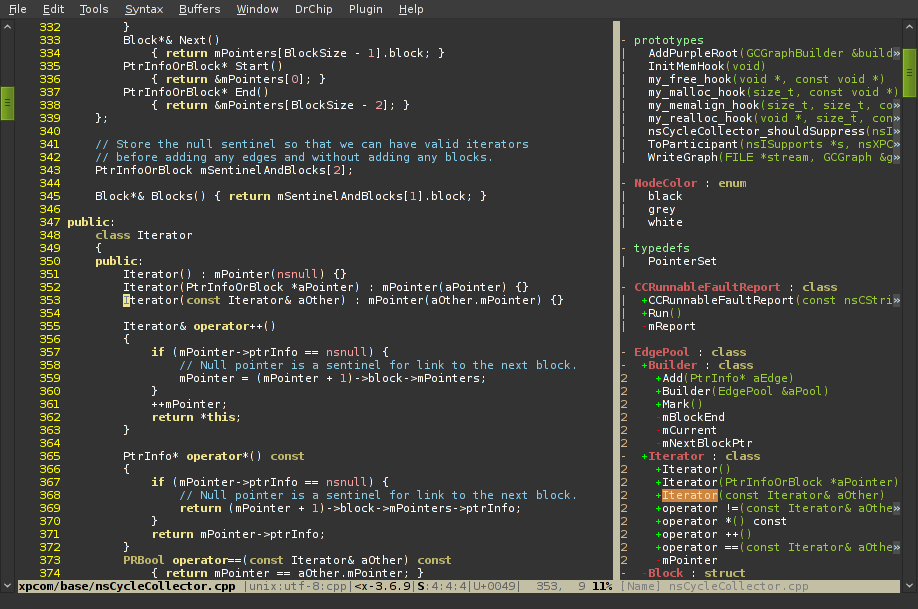
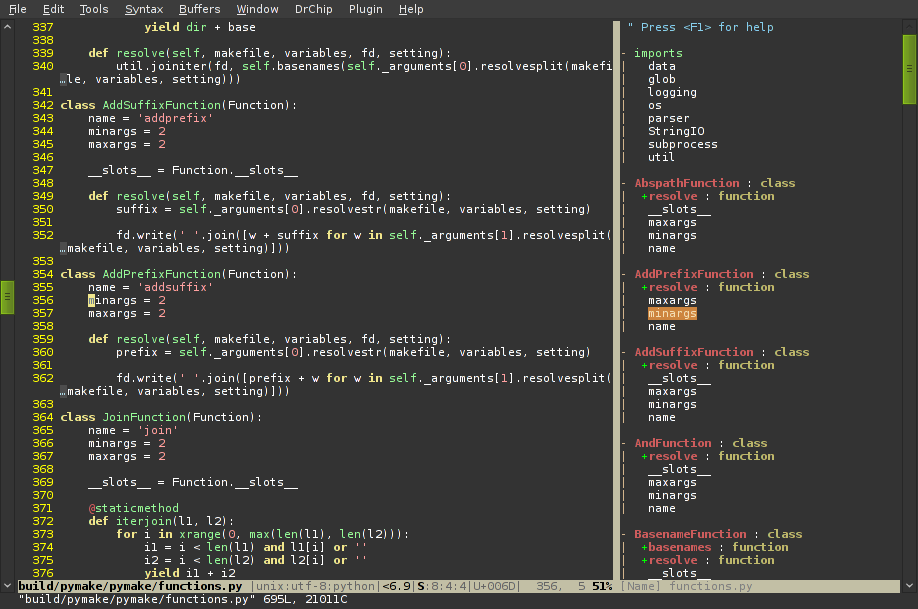
Vim plugin that displays tags in a window, ordered by class etc.
Tagbar is a vim plugin for browsing the tags of source code
files. It provides a sidebar that displays the ctags-generated
tags of the current file, ordered by their scope. This means that
for example methods in C++ are displayed under the class they are
defined in.
Dependencies
Vim 7.0
Exuberant ctags 5.5
Install
Extract the archive or clone the repository into a directory in
your 'runtimepath' or use pathogen.
Don't forget to run :helptags if you don't use pathogen.
If the ctags executable is not installed in one of the directories
in your $PATH environment variable you have to set the
g:tagbar_ctags_bin variable, see the documentation for more info.
Screenshots
License
Vim license
Authors
Jan Larres (jan@majutsushi.net)
Download
Stable releases
1.5 (2011-03-06)
zip
tar
- Type definitions can now include a path to a file with the
ctags definition. This is especially useful for ftplugins that can now ship
with a complete ctags and Tagbar configuration without requiring user
intervention. Thanks to Jan Christoph Ebersbach for the suggestion.
- Added autofocus setting by Taybin Rutkin. This will put the
cursor in the Tagbar window when it is opened.
- The "scopes" field is no longer needed in type definitions,
the information is already there in "scope2kind". Existing definitions will be
ignored.
- Some fixes and improvements related to redrawing and window
switching.
1.2 (2011-02-28)
zip
tar
- Fix typo in Ruby definition
1.1 (2011-02-26)
zip
tar
- Don't lose syntax highlighting when ':syntax enable' is called
- Allow expanding the Vim window when Tagbar is opened
1.0 (2011-02-23)
zip
tar
Latest source
Download as:
zip
tar
You can also clone the project with Git
by running:
$ git clone git://github.com/majutsushi/tagbar