 Matt Alexander
95088850b6
Matt Alexander
95088850b6
The messages were getting in the way:
```
 $ VBoxManage createvm --name=Win10-3 --ostype Wegrep: warning: egrep is obsolescent; using grep -E
indowsegrep: warning: egrep is obsolescent; using grep -E
egrep: warning: egrep is obsolescent; using grep -E

Windows10        Windows2000      Windows2008      Windows2016_64   Windows31        Windows8         Windows8_64      WindowsMe        WindowsNT4       WindowsVista_64
Windows10_64     Windows2003      Windows2008_64   Windows2019_64   Windows7         Windows81        Windows95        WindowsNT        WindowsNT_64     WindowsXP
Windows11_64     Windows2003_64   Windows2012_64   Windows2022_64   Windows7_64      Windows81_64     Windows98        WindowsNT3x      WindowsVista     WindowsXP_64
matt@q ~ $ VBoxManage createvm --name=Win10-3 --ostype Windowsegrep: warning: egrep is obsolescent; using grep -E

Windows10        Windows2000      Windows2008      Windows2016_64   Windows31        Windows8         Windows8_64      WindowsMe        WindowsNT4       WindowsVista_64
Windows10_64     Windows2003      Windows2008_64   Windows2019_64   Windows7         Windows81        Windows95        WindowsNT        WindowsNT_64     WindowsXP
Windows11_64     Windows2003_64   Windows2012_64   Windows2022_64   Windows7_64      Windows81_64     Windows98        WindowsNT3x      WindowsVista     WindowsXP_64
```
VBoxManage bash completion script
This version of the completion was initially based on Sebastian T. Hafner script. However, in some point of time I've decided to rewrite it almost from scratch.
Current version of script was written and tested against VBoxManage in version 7.0.10, and should contain all commands and their options.
Unlike other attempts, I've tried to make the script context aware. See the simple session with the VBoxManage command below, to have an idea how it works:
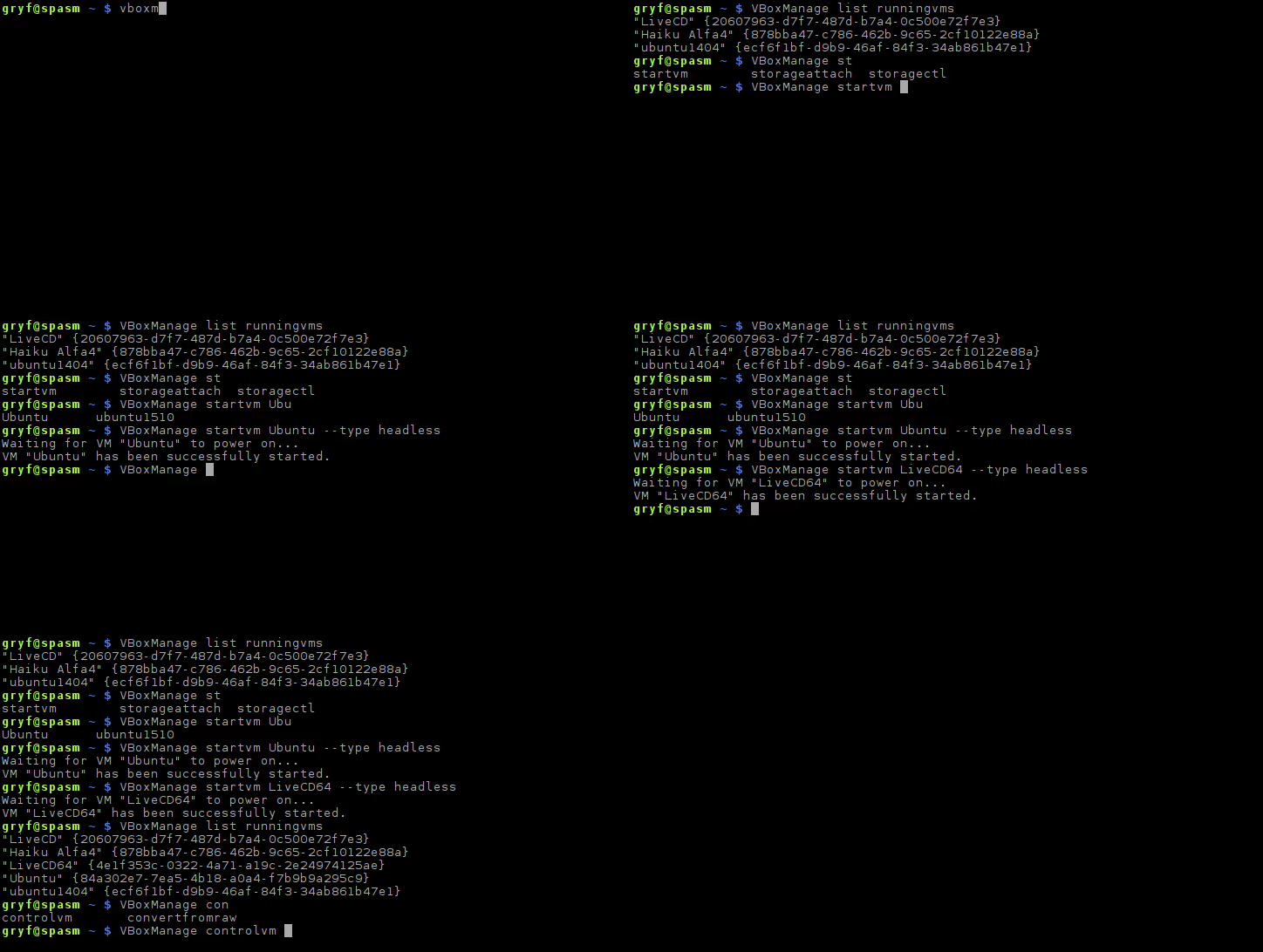
Note, that startvm command proposes only VMs, which are not running, while controlvm will complete only running VMs.
What is worth to mention, this completion script is a real thing, so it only offer things which have sense for particular commands, for example:
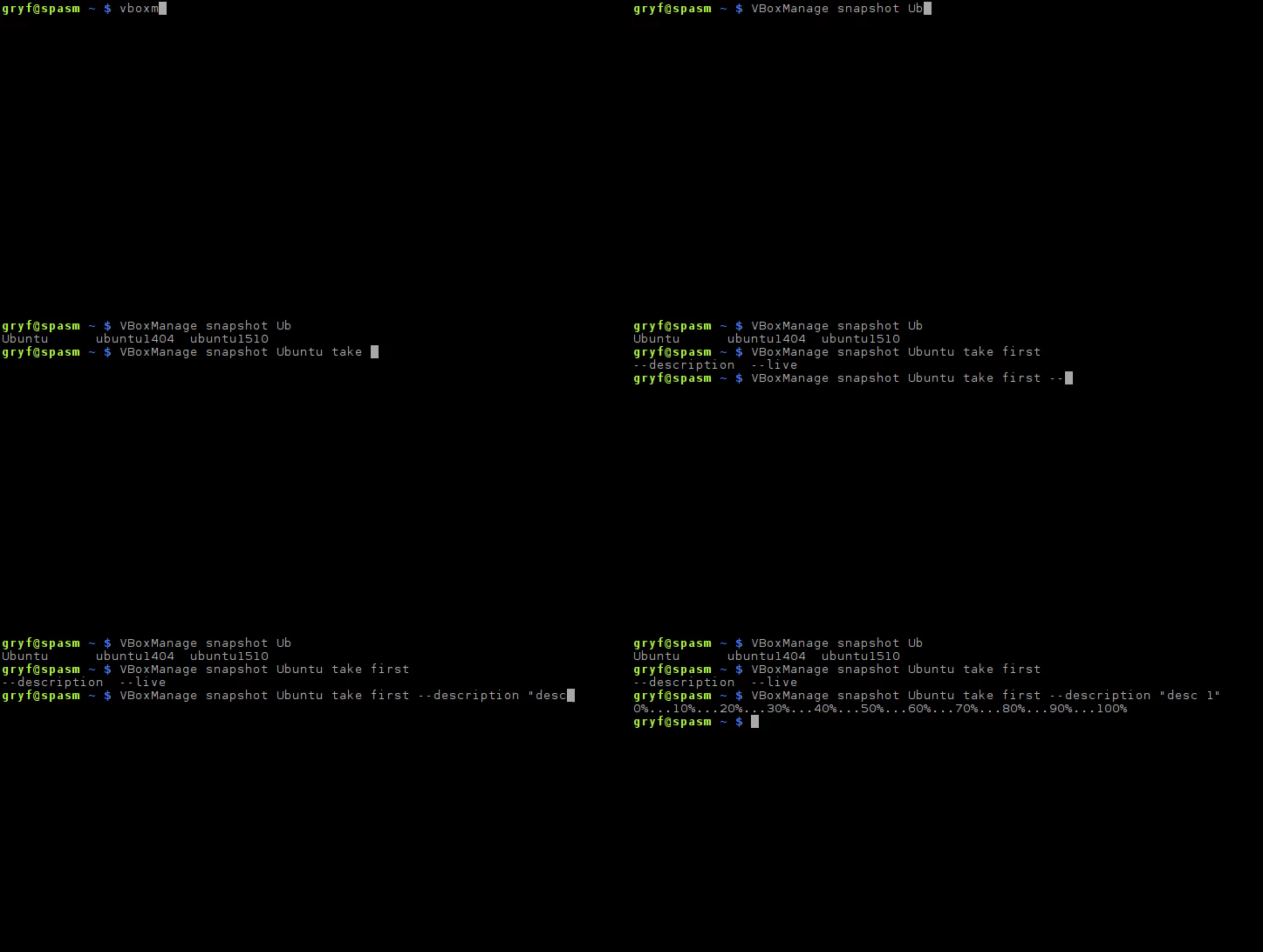
For snapshot take subcommand, the only options which are proposed are --live and --description. Other commands and subcommands are behaving in similar way.
Installation
Either source the file:
$ . /path/to/this/repo/VBoxManage
or add it to a proper place depending on your distribution. Usual place would be:
~/bash-completion.d/
/usr/local/etc/bash-completion.d/
/etc/bash_completion.d/
etc.
It's also okay to copy it into some directory, and place proper line in .profile or .bashrc:
source /some/directory/VBoxManage
License
This software is licensed under 3-clause BSD license. See LICENSE file for details.